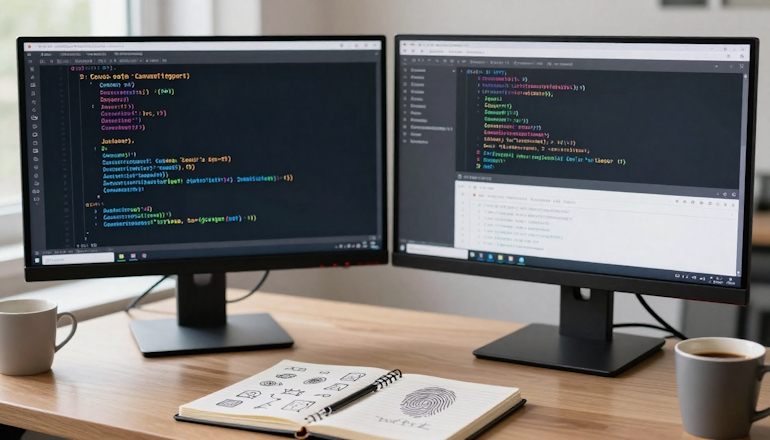
Every time you visit a website, your browser leaves behind a digital fingerprint. Even if you clear your cookies, change your IP address, or browse in incognito mode, these hidden markers can still identify and block you. This process is known as “device fingerprinting.”
In this article, I’ll explore how you can collect unique device characteristics using PHP, JavaScript, and HTML5 to reliably differentiate one visitor from another and, if necessary, block troublemakers.
What is Device Fingerprinting and Why is it Important?
Imagine you’re at the entrance of a store, and instead of photographing someone’s face, you take a picture of their shoes, walking style, favorite hand, and how they open doors.
You can create a complete profile without ever seeing their face. Device fingerprinting works similarly: it collects not a username or password, but the “signature” of the browser and device. This is useful for blocking persistent spammers who create hundreds of fake accounts or stopping bots trying to steal data.
Unlike cookies, which can be easily deleted, device fingerprints stay with the device for a much longer time. The Electronic Frontier Foundation (EFF) discovered that over 80% of browsers have a unique combination of such parameters. This means that while it’s technically possible to spoof the system with small tricks, it’s difficult to pull off.
Modern information-gathering methods can be broken down into several layers. The more parameters you collect, the more accurate the fingerprint will be.
Basic Browser and OS Properties This is the simplest and most obvious layer. It includes the browser version, interface language, time zone, operating system type, installed fonts, and plugins. You can easily collect this data via JavaScript and the navigator object. While it’s possible to spoof these, combining them with more advanced parameters provides a high level of accuracy.
Screen and Graphics Parameters Every monitor has its own resolution, color depth, and pixel ratio. But the most powerful method here is Canvas Fingerprinting. The browser draws an invisible image on an HTML5 canvas in the background and then turns it into a hash. Due to differences in graphics cards, drivers, and smoothing algorithms, the resulting hash will be unique for each “device + browser” combination.
Hardware and Audio Features Through WebGL, you can determine your device’s graphics card model and driver. Additionally, the Web Audio API reveals how the device processes sound. Even if you never listen to music on the site, a script can generate an inaudible signal and analyze distortions caused by your sound card. This is one of the most stable identifiers.
Behavioral Metrics (Clicks and Mouse Movements) This is the most advanced technique. It tracks how a person moves their cursor: smoothly or in jerks, the speed at which buttons are clicked, and the path taken. Bots typically move in a straight line at a constant speed, while humans have accelerations, decelerations, and slight “shakes” in their hand.
How to Implement This: Code Examples
Disclaimer: The following code examples, architectural diagrams, and discussions about device fingerprinting methods are not ready-made commercial solutions. They are meant to illustrate ideas and demonstrate principles. To implement them in a real project, you must account for the specific environment (browsers, CSP restrictions, security policies) and infrastructure specifics. The provided snippets will need adaptation, refactoring, and testing for your unique business logic and workload.
It all starts on the frontend. Using JavaScript, we gather all the parameters and send them to the server via AJAX.
Canvas Fingerprint Collection One of the most reliable methods. The script creates a hidden image with text and a background and then computes its hash.
Sending Data to the Server and Processing It in PHP After collecting the object, it’s sent via POST in JSON format. On the backend, data should be sanitized to prevent spoofing and stored.
It’s not possible to directly obtain the MAC address of a user through PHP or JavaScript — this is a significant security limitation.
JavaScript in the browser does not have access to the hardware address of the network card by default. The only exception to this would be if the user has specifically installed and granted access to a special extension or desktop application, but that’s a different scenario altogether.
There is also a “loophole” method via WebRTC, which can calculate the local IP, but not the MAC address, and modern browsers have long since blocked this method. On the server side, in PHP, you can obtain the MAC address of a client if the web server and the client are in the same local network.
The simplest way is to execute the system command arp -a, which outputs a table matching IP addresses to MAC addresses.
Example PHP code for obtaining the MAC address in a local network:
<?php
$ip = $_SERVER['REMOTE_ADDR'];
// Check if the IP is within a local network (simplified)
if (filter_var($ip, FILTER_VALIDATE_IP, FILTER_FLAG_NO_PRIV_RANGE | FILTER_FLAG_NO_RES_RANGE) === false) {
// Execute the arp command
$output = shell_exec("arp -a " . escapeshellarg($ip));
// Search for MAC address in the output
if (preg_match('/([a-f0-9]{2}[-:]){5}[a-f0-9]{2}/i', $output, $matches)) {
echo "MAC Address: " . $matches[0];
} else {
echo "MAC Address not found";
}
} else {
echo "IP is not local";
}
?>
This code works only if the web server and the client are in the same subnet (for example, within a corporate network). In real-world web conditions (over the Internet), this method does not work and is not meaningful. For global networks, MAC address identification is not reliable.
Server-Side Logic, Storage, and Blocking
Let’s first discuss the server-side logic for the user fingerprint.
Once the fingerprint hash is received on the server, it should be associated with the user account or placed in the blacklist.
The key principle here is: a fingerprint is not a password, it’s just a signal. It can’t be used as the sole reason for blocking a user, or you risk blocking an entire office of users with the same IP.
Storing in the Database (MySQL)
It’s best to store trusted devices in a JSON field in the user table.
ALTER TABLE users ADD COLUMN trusted_devices JSON DEFAULT NULL;
Logic for Logging In
User enters their password.
The server computes the current fingerprint hash (based on the data sent from the frontend).
The server checks this hash against the trusted_devices column of the current user.
If the hash is found, login is allowed.
If the hash is not found, a verification code is sent to the user (via email or SMS). After successful code entry, this hash is added to the trusted_devices array.
This approach is secure because an attacker cannot add their device without access to the user’s email/phone.
The IP address is the most accessible, but also the least reliable identifier. It can be used as a secondary signal in combination with other methods, but not as the sole criterion.
Example: Simple IP Blacklist Block
$blacklistedIps = ['192.168.1.100', '203.0.113.5'];
$userIp = getUserIP(); // function from previous message
if (in_array($userIp, $blacklistedIps)) {
die('Access denied. Your IP is on the blacklist.');
}
This method is useful for targeting specific offenders. However, many users have dynamic IPs (which change when the router is rebooted) or use VPNs/proxies, so the blacklist becomes outdated quickly. Additionally, one IP address can be shared by hundreds of people (such as in offices or mobile networks), and you could block innocent users.
Example: Limiting the Number of Attempts from One IP (Rate Limiting)
$ip = getUserIP();
$key = 'login_attempts_' . $ip;
$attempts = apcu_fetch($key) ?: 0;
if ($attempts > 5) {
die('Too many login attempts from your IP. Please try again later.');
}
apcu_store($key, ++$attempts, 300); // block for 5 minutes
This is a defense against brute force (password guessing) attacks. It doesn’t block the user forever, but it slows down the attack. However, if the attacker uses a network of multiple IPs (a botnet), this protection won’t be effective. It’s a good idea to complement this with CAPTCHA after several failed attempts.
Example: Comparing IPs to Detect Anomalies
session_start();
$currentIp = getUserIP();
if (isset($_SESSION['user_ip']) && $_SESSION['user_ip'] !== $currentIp) {
// IP has changed, possibly session hijacking
error_log("Warning: IP changed from {$_SESSION['user_ip']} to $currentIp for user {$_SESSION['user_id']}");
// Don’t block immediately, but require re-authentication
session_destroy();
header('Location: /login?reason=ip_changed');
exit;
}
$_SESSION['user_ip'] = $currentIp;
If the IP changes suddenly during an active session (for example, from Russian to Ukrainian), it could indicate that an attacker has stolen the session cookies and is trying to use them from a different device. However, mobile operators’ IPs can change when switching cell towers, and users with VPNs may change countries when reconnecting. Therefore, this behavior is not always an attack but should raise attention (for example, by requesting an additional password).
Important Considerations:
IP is not a personal identifier: One IP can belong to an entire office, a public Wi-Fi network, or a mobile operator. Blocking by IP can affect thousands of regular users.
Proxies and VPNs easily change IPs: Attackers often use them to bypass blocks.
IPv6 complicates analysis: Each device can have its own public IP, but the ranges are vast, and dynamic changes are common.
The IP address should only be used as one of many signals in a risk assessment system, not as the sole reason for blocking. Combine it with device fingerprints, behavioral metrics, and two-factor authentication for stronger security.
How to Fully Block a User
If you want to block all devices from a particular user (not just one account), you can keep a global ban table.
On each request, the server computes the fingerprint hash and checks it against this table. If the hash is found, an access error is returned.
Method Limitations and Practical Tips
No device fingerprinting method gives you a 100% guarantee. Here’s what you’ll face in practice.
Changing Parameters. If a user updates their browser, installs a new graphics card, or switches to “Incognito” mode, some parameters may change, causing a legitimate user to fail the fingerprint check. The solution is to avoid strict blocking and instead use fingerprinting as one of several risk signals, alongside others like the IP address or anomalous behavior.
Data Collection Caution. Many countries have laws that regulate tracking methods without explicit user consent. Always include a privacy policy on your site and inform users that you’re collecting technical information.
Modern Browsers Are Complicating Things. As of 2026, browsers like Firefox and Safari have tightened their policies. They may return obfuscated Canvas data or block WebGL for unauthorized scripts. Your code should handle situations where the browser refuses to share parameters.
The best strategy is to combine device fingerprinting with other data points: the IP address, browsing history, request frequency, and CAPTCHA. This way, you’ll create a system that’s harder to bypass and will reduce the likelihood of blocking regular users due to false positives.
What Happens When a User Switches from LAN to Wi-Fi in the Same Network
When a user changes their connection method (for example, from Ethernet to Wi-Fi) within the same home or office, many of their fingerprinting parameters may remain the same, while others may change.
Example 1: Ignoring Network Parameters in the Stable Fingerprint
What happens. When switching from Ethernet to Wi-Fi:
The external IP address typically stays the same (unless the router changes it).
However, internal parameters accessible via JavaScript may change: navigator.connection.type may switch from ‘ethernet’ to ‘wifi’, and rtt (round-trip time) and downlink (speed) could also change.
Risk: If you include these parameters in the fingerprint hash, the user will receive a new fingerprint after switching, and they may be required to go through verification again (e.g., entering a code from email). This could frustrate users.
Solution: Exclude any parameters that may change during the same session or by the same user without a device change. Stable parameters include: Canvas fingerprint, WebGL data, Audio fingerprint, font list, browser version, time zone, and screen resolution (if unchanged). Network parameters (connection type, RTT, IP) should either not be used or should be considered as separate risk signals, not as part of the primary identifier.
Example 2: Merging Fingerprints via a “Trusted Devices Pool”
What happens. In some scenarios (for example, public Wi-Fi in a café, where the IP changes often), you can’t rely even on partial stability. But if the switch happens within the same private network (like at home or in an office), you can apply smarter logic.
Solution: With each login attempt, the server calculates the fingerprint hash. If the hash doesn’t match any previously saved hashes for the user, but part of the parameters (like Canvas, WebGL, and Audio) match an already known device and only the network data has changed, the server can:
Skip requiring re-verification and simply add the new hash to the user’s list of trusted devices.
Or, if only navigator.connection.type and rtt have changed, treat this as the same device and automatically update the fingerprint hash.
Technically, you can implement this like so: Store not just one hash in the database, but multiple fields: a stable_hash (without network parameters) and a full_hash (with all parameters). When the network changes, the full_hash will change, but if the stable_hash remains, you can update the full_hash without blocking the user.
Server-side example (PHP):
$stableFingerprint = hash('sha256', $canvas . $webgl . $audio . $userAgent);
$fullFingerprint = hash('sha256', $stableFingerprint . $networkType . $rtt);
// Check if the stable fingerprint is in the trusted list
if (in_array($stableFingerprint, $userTrustedStable)) {
// Same device, just update the full fingerprint
$user->updateFullFingerprint($fullFingerprint);
// Allow access
} else {
// Full verification needed
}
No method is 100% foolproof, but combining stable hardware metrics with smart logic for updating fingerprints helps minimize false positives when users switch networks within the same location.
I’m Ethan Carter, an American developer and technical writer with more than 20 years of experience in systems and application programming. My core specialty is low-level development in Assembler: 22 years of hands-on work, including deep experience in code optimization, CPU architecture, and performance-critical solutions. I also hold a PhD in Assembler and have spent more than 18 years working with ASP.NET, building enterprise web systems, APIs, and scalable backend solutions.
In addition, I have 9 years of experience in C++ and C#, along with 7 years of hands-on microcontroller programming in Assembler. Thanks to this mix of academic background and practical engineering experience, I can write about software architecture, low-level optimization, and modern development in a way that makes complex technical topics clear for a professional audience.