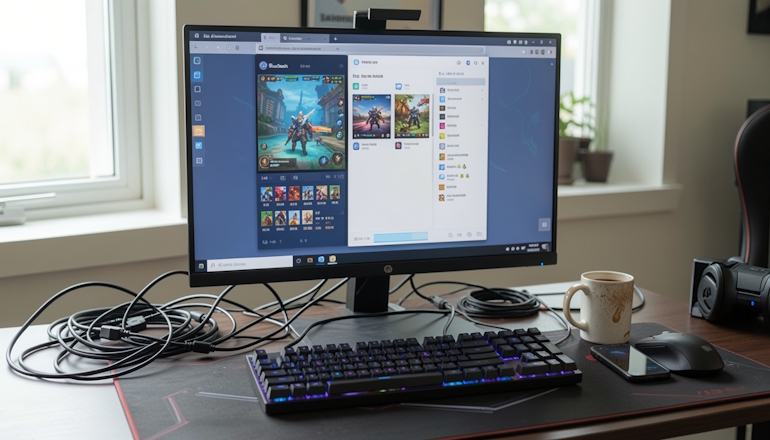
The Top 5 Android emulators for Windows 11 are a very relevant topic right now, because the choice is honestly messy. Especially after Microsoft shut down its WSA subsystem, older lists online became outdated, and the new ones mostly just repeat each other. So let us break down what actually works in 2026 and what does not.
If you skip the technical weeds, an emulator is a program that creates a virtual phone inside your Windows PC. You open a window, and inside it is a full Android system with its own Play Store, settings, and the ability to install APK files. It is kind of like running a console game through a special software layer on a PC.
The truth is, not all emulators are equally useful. Some are built for gaming: they run Call of Duty and PUBG at high FPS. Others are built for productivity: they let you run dozens of messenger windows at once without juggling multiple phones. And some are for developers who test their apps.
Inside, each emulator is a small operating system with its own kernel and Android version. They differ in how they use your PC’s resources: CPU, GPU, and RAM. That is why the same emulator can behave very differently on a powerful gaming rig and on an old office laptop. Some are built for maximum performance, others for stability, and some just use as little resources as possible.
So, here are the top five for 2026, according to most reviews and users: BlueStacks, LDPlayer, MEmu, NoxPlayer, and GameLoop.
BlueStacks — the all-purpose workhorse for games and more

BlueStacks is probably the most famous name among emulators, and it stays on top thanks to constant updates. In 2026, BlueStacks 5 offers a great balance of performance, game compatibility, and ease of use. It supports keyboard and mouse out of the box, along with macros and multi-instance support.
- Pros: High compatibility with the vast majority of games and apps. Regular updates and active support. Better RAM management than older versions. Tons of performance settings for different PC setups.
- Cons: Resource-heavy. It needs a strong CPU and at least 8 GB of RAM for comfortable gaming. It can feel bloated with ads and confusing settings for beginners. Some users report FPS drops after driver updates.
LDPlayer — the lightweight winner for budget PCs

LDPlayer is often called a lightweight emulator, and that is not just marketing talk. It really runs faster on weaker computers where BlueStacks starts to slow down. Its biggest selling point is Hyper-V support, which is often enabled by default in Windows 11 and breaks a lot of emulators. LDPlayer was one of the first to release a version that plays nicely with it.
- Pros: Excellent performance on modest hardware (4–8 GB of RAM). Very low input lag, which matters for shooters. Flexible multi-instance setup for playing multiple accounts at once.
- Cons: The interface and settings can feel overloaded in some places. There are complaints about ad placements in the free version. Some demanding games may glitch or crash because of aggressive optimization for older Android versions.
MEmu Play — the sweet spot for beginners and office PCs

MEmu is often called underrated, and that is a shame. It has a very clear interface and runs reliably even on systems with 4 GB of RAM. In 2026, it is still popular with people who do not need the extra flash of BlueStacks but want something that simply works.
- Pros: Very easy installation and setup for beginners. Good compatibility with a wide range of office and gaming apps. Support for multiple Android versions, from 5 to 11, in one emulator.
- Cons: Graphics performance in heavy 3D games is noticeably behind BlueStacks and LDPlayer. There are complaints about ad pop-ups. Older versions had issues with some Intel chips, but that has been fixed now.
NoxPlayer — the best choice for multi-accounting

NoxPlayer has always been known for multitasking. It lets you create dozens of windows with different accounts and control them all at once, which is indispensable for farmers, affiliate marketers, and developers. At the same time, it stays fairly stable and supports many modern games.
- Pros: Excellent support for multiple instances and action syncing between them. Android 9 and newer support. Built-in macro recorder and automation tools for routine tasks.
- Cons: Resource-heavy when you run a lot of windows. The interface can feel dated and cluttered. Some versions have screen flickering issues on Windows 11 with certain GPUs.
GameLoop — when every frame matters in shooters

GameLoop is Tencent’s official emulator, built first and foremost for its own games, like PUBG Mobile and Call of Duty Mobile. It is tuned for those titles better than anything else. If your goal is to play those shooters at max settings with minimal lag, GameLoop is your pick.
- Pros: Unmatched optimization for PUBG Mobile, Call of Duty Mobile, and other popular shooters. Very high and stable FPS even on mid-range hardware. Native controller support and advanced control schemes.
- Cons: Poor compatibility with apps and games outside Tencent’s ecosystem. The interface is geared only toward gaming, so it is awkward for regular apps. In some cases it installs extra services that may trigger antivirus warnings.
Emulator comparison table
Below is a table for a quick comparison of the key factors.
| Emulator | Best for… | Resource use | Pros | Cons |
|---|---|---|---|---|
| BlueStacks | Games, all-around use | High | Maximum game compatibility, powerful toolset | Demanding on PCs, lots of ads |
| LDPlayer | Games on weak PCs, apps | Medium | Fast, Hyper-V support, low input lag | Cluttered UI, possible bugs |
| MEmu Play | Office work, simple games, beginners | Low | Simple interface, stable, multiple Android versions | Weak 3D game performance |
| NoxPlayer | Multi-accounting, development | Medium | Excellent multitasking, window sync | Dated interface, resource-heavy |
| GameLoop | PUBG, Call of Duty, shooters | Medium | Tencent game optimization, high FPS | Poor compatibility with other apps |
In the end, the best emulator is the one that fits your specific tasks and PC setup. Try a couple from the list before you settle on just one.
Average FPS in games
The numbers below are the approximate maximum you can expect on a powerful PC with the right settings. On weaker PCs, real FPS will be lower. Performance can also vary a lot depending on the emulator version and the game.
The reason is simple: emulator performance is not a fixed number. It depends directly on your PC’s exact hardware, the emulator version, and its settings.
So everything below was obtained on one specific PC and may differ on yours.
| Emulator | Call of Duty: Mobile | Diablo Immortal |
|---|---|---|
| BlueStacks | Up to 120 FPS and higher. Considered the performance leader. | Up to 60 FPS and higher. Promises stable performance even on mid-range PCs. |
| LDPlayer | Up to 120 FPS. Very good for games, especially on systems with limited resources. | Up to 60 FPS (Ultra settings). Very well optimized. |
| GameLoop | Up to 120 FPS. Officially optimized, so expect consistently high results on mid-range PCs. | Up to 120 FPS. High performance is claimed, but on weak hardware it can drop to 40 FPS. |
| MEmu Play | 60 FPS. Out of the box, the emulator delivers average performance. | Not tested, but it is expected to run stably on medium and high graphics settings. |
| NoxPlayer | 60 FPS. Performance is average, with possible drops. | Not tested, but it is expected to run stably on medium and high graphics settings. |
Bottom line: best for games and best for apps
Looking at the 2026 situation, the choice is pretty clear.
Top pick for gaming: BlueStacks
Even though it is resource-hungry, BlueStacks is still the absolute leader. Why? Because it works with 99% of the games you can think of. If a game runs on an emulator, it will run on BlueStacks. Its ecosystem, support, and compatibility are so broad that it simply has no real competition here. Yes, it may lag on an old laptop, but on a decent gaming PC it gives the best quality and stability.
Top pick for apps and multi-accounting: LDPlayer
For apps and working with multiple accounts, LDPlayer pulls ahead. It uses fewer resources than BlueStacks and works very well on Windows 11 with virtualization enabled. Its multitasking and low latency make it ideal for anything that is not a heavy 3D game. It is also a good option for streamers who use chat, donation, and moderation apps while gaming. BlueStacks is too heavy for that, and GameLoop is not really built for it at all.
Good luck!

My name is Alex Morrison — a gaming analyst and author from the Dallas–Fort Worth region. I specialize in analyzing game mechanics, technologies, and the dynamics of modern video games. I graduated from the University of Texas at Arlington with a degree in game design and interactive media, and I have spent more than ten years studying the development and evolution of game worlds.
In my work, I combine technical expertise with hands-on experience to explain complex processes in a clear, structured, and professional way.


