Choosing the right microSD card determines not just how much space you have, but how smoothly your smartphone, camera, or drone performs in various conditions. These tiny storage devices differ not only in capacity but also in generations, speed ratings, and performance classes that directly affect your ability to record 4K video or run apps quickly. Understanding the key differences between SDHC, SDXC, and the newer SDUC formats helps you avoid situations where your card isn’t recognized by your device or simply can’t handle the task.
If you stay informed about these critical distinctions, you can prevent the frustration of buying a card that doesn’t work with your gear or fails to deliver the performance you need.
History of the Format
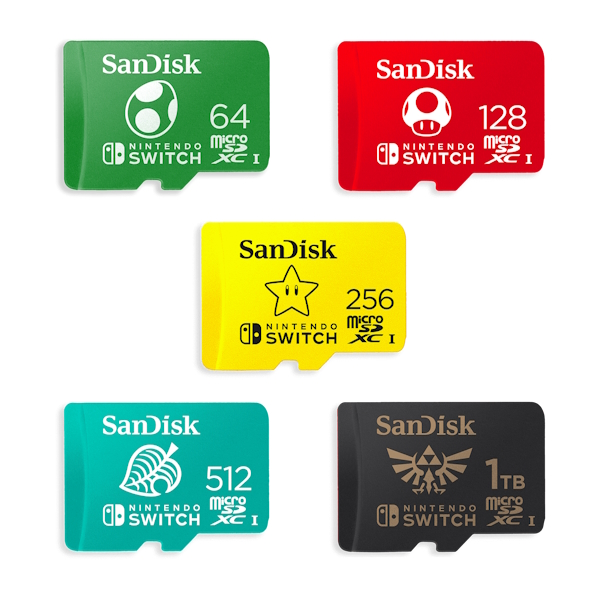
The history of the microSD format dates back to 2004, when SanDisk, a leader in flash storage, developed a tiny memory card called TransFlash. The need for such a format arose from the rapid evolution of mobile phones, for which existing SD cards were simply too bulky. Interestingly, the card was initially meant to be called T-Flash, but carrier T‑Mobile objected, so the name was changed to TransFlash. By 2005, SanDisk handed the technology over to the SD Card Association, the international body responsible for memory card standards. The association renamed the format to microSD and on July 13, 2005, published its final specification, marking the official birth of this standard.
The arrival of microSD sparked a true revolution in portable electronics, shrinking card dimensions by about 75% compared to their full‑sized predecessors. The first cards held only 32 megabytes, but by 2015 capacity had grown 6,250 times, reaching 200 gigabytes. The format became incredibly popular: SanDisk shipped an average of more than six cards every second, and by 2015 cumulative sales had surpassed 2 billion units.
Today, microSD cards are used not only in smartphones (about 75% of which have slots for them) but also in action cameras, drones, car systems, and Internet of Things devices, offering flexibility and freedom to expand storage.
microSD Classes and Variations
Secure Digital memory cards have come a long way since their debut in 1999, when Panasonic, SanDisk, and Toshiba introduced the first industry standard based on MMC cards.
Today, microSD is the most popular form factor thanks to its tiny dimensions—just 11 by 15 millimeters—and its ability to be used in any full‑size SD slot through a simple adapter.
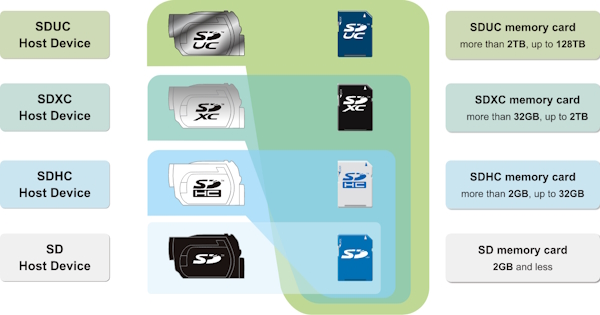
The main difference between card generations lies in maximum possible capacity and file system:
-
SDHC (Secure Digital High Capacity) offers storage from 4 to 32 gigabytes and uses the FAT32 file system.
-
SDXC (Extended Capacity) covers the range from 64 gigabytes to 2 terabytes and works with the exFAT file system, which is critical to consider when buying for older devices.
-
The newest standard, SDUC (Ultra Capacity), opens up the possibility of storing up to 128 terabytes, though it is still rare and requires compatible hardware.
The intended use of a memory card is directly tied to its speed characteristics, which are described by a whole set of classes and standards. For everyday storage of photos and documents, almost any card will do, but for recording high‑resolution video or running demanding applications, you need a card with the appropriate speed ratings.
The UHS speed class (U1 or U3) defines the minimum sequential write speed:
-
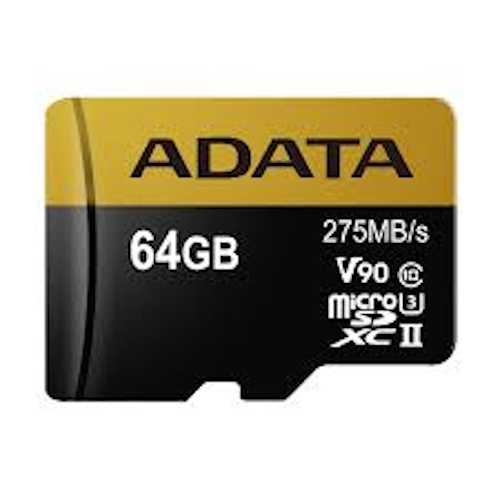
U3 guarantees at least 30 megabytes per second, which is the baseline requirement for quality 4K video recording.
-
The video speed class V30, V60, or V90 indicates the card’s ability to record video at a certain bitrate consistently. V30 is enough for 4K, while 8K or high‑bitrate video requires V60 or higher.
-
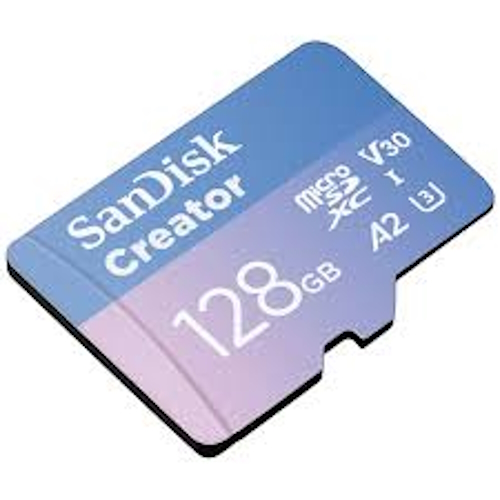
Special attention should be paid to the application performance class A1 and A2, which matters for smartphone users: A2, with at least 4000 read IOPS and 2000 write IOPS, ensures smooth operation of apps and games installed on the memory card.
Think that’s all the variations? Not quite. Modern microSD cards also differ in bus interface:
-
UHS‑I provides bandwidth up to 104 megabytes per second.
-
UHS‑II raises the bar to 312 megabytes per second thanks to an extra row of contacts.
However, keep in mind that buying a UHS‑II card only makes sense if your device has a compatible slot, which is found mostly in professional cameras.
Leading manufacturers like SanDisk, Samsung, and Kingston continuously improve not only speed but also reliability, adding protection against water, shocks, X‑rays, and extreme temperatures. Some models, such as SanDisk’s High Endurance line, are specifically designed for 24/7 operation in dash cams and surveillance cameras, enduring thousands of rewrite cycles.
microSD Card Comparison
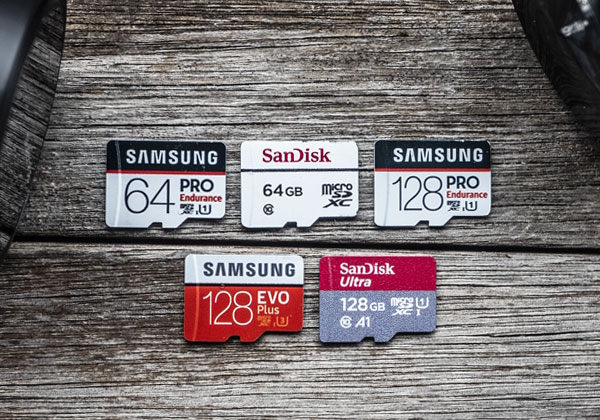
The maximum read and write speeds printed on the package are achievable only under ideal lab conditions and, as a rule, only on the initial portion of the card’s capacity.
Real‑world performance can vary significantly depending on the controller, the type of flash memory used, and the effectiveness of thermal management. For example, two cards with the same V30 class can show a difference in sustained write speed of up to 40 percent after a few minutes of continuous recording, because one may overheat and throttle its speed.
That is why professional users pay less attention to peak numbers and more to sustained write test results and the card’s ability to maintain performance under load.
Below we have compiled a typical comparison table of basic microSD card specifications:
| Parameter | microSDHC | microSDXC | microSDUC |
|---|---|---|---|
| Capacity | 4 GB – 32 GB | 64 GB – 2 TB | 256 GB – 128 TB |
| File System | FAT32 | exFAT | exFAT |
| Device Compatibility | Supported by most devices, including older models | Requires SDXC support in the device | Requires the latest devices with SDUC standard |
| Optimal Use | Storing documents, music, photos | 4K video recording, app installation, large files | Professional tasks, ultra‑large data volumes (future) |
| Speed Classes | Typically Class 10, U1 | U3, V30, V60, V90, A1, A2 | To be defined as the standard develops |
Modern technology keeps moving forward, and the industry continues to evolve toward higher speeds and larger capacities.
In 2018, the SD Express specification was introduced, which uses the PCI Express interface and NVMe protocol, enabling speeds up to 3.94 gigabytes per second. In 2019, microSD Express was announced with speeds up to 985 megabytes per second.
These technologies are just beginning to appear in consumer devices, but they set the direction for the future of memory cards, where they will be able to compete with solid‑state drives in speed while retaining their tiny size.
Our Benchmarks and Test Results
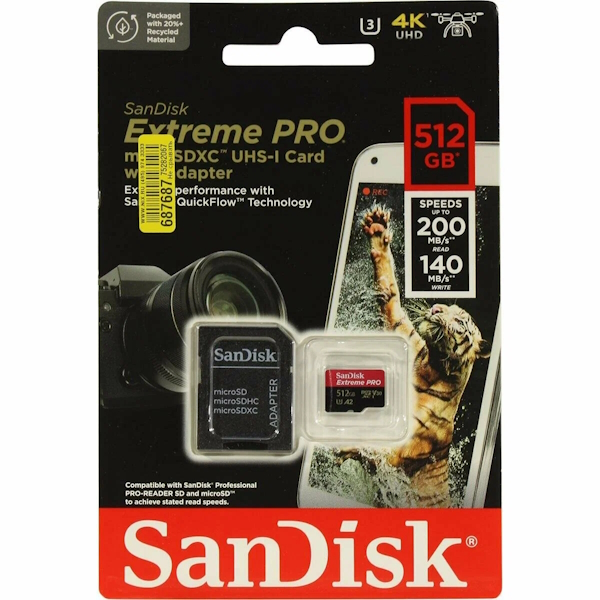
We selected three top‑of‑the‑line 512 GB microSD models from SanDisk, Samsung, and Kingston that are relevant in 2026 and widely available.
For a fair comparison, we chose cards in the same price segment and form factor (UHS‑I).
| Test / Parameter | SanDisk Extreme PRO 512GB (SDSQXCD-512G-GN6MA) | Samsung PRO Plus 512GB (MB-MD512KA) | Kingston Canvas React Plus 512GB (SDCR2/512GB) |
|---|---|---|---|
| Interface / Classes | UHS-I, U3, V30, A2 | UHS-I, U3, V30, A2 | UHS-I, U3, V30, A1 |
| CrystalDiskMark Seq Read (MB/s) | 200 (claimed max) | 180 (claimed max) | 100 (claimed max) |
| CrystalDiskMark Seq Write (MB/s) | 140 (claimed max) | 130 (claimed max) | 80 (claimed max) |
| Random Read 4K (IOPS) | ~4000 (A2 guarantees min 4000) | ~5000 (tests show >5000) | ~2000 (A1 guarantees min 1500) |
| Random Write 4K (IOPS) | ~2000 (A2 guarantees min 2000) | ~2000 (A2 guarantees min 2000) | ~500 (A1 guarantees min 500) |
| Real‑world Video Recording (4K/60fps) | Stable, no frame drops | Stable, holds the stream | Stable, at the edge of V30 capability |
| Overall Assessment | Speed and reliability leader. Best choice for professionals and demanding users. | Optimal price‑to‑performance balance. Excellent random access (important for apps and games). | Solid mid‑range card. Slower, but sufficient for most everyday tasks (photos, Full HD video). |
If you are looking for a card for gaming, the key metrics from the table are the A2 class and high random read/write (IOPS) values.
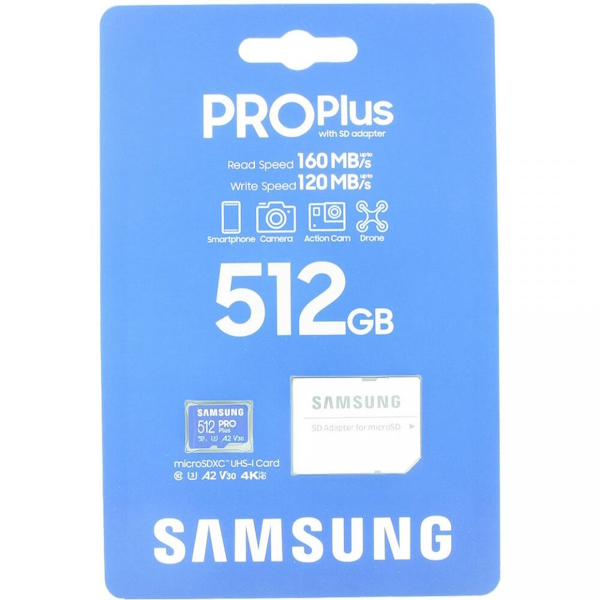 These determine level load times, app installation speed, and overall system responsiveness when games run directly from the memory card.
- The Samsung PRO Plus looks very convincing here: the combination of excellent sequential write speed (important for recording gameplay video) and high random access performance (thanks to A2 class) makes it an ideal candidate. Based on tests, it handles the many small files that make up modern games exceptionally well.
- The SanDisk Extreme PRO is the undisputed leader in maximum speeds. If you frequently copy huge files (movies, ISO images) or record long 4K videos, it justifies its price. For gaming, it is also excellent thanks to A2, but its “extreme speeds” are less noticeable in games than in benchmarks. Poznayu.Com Editor’s Choice.
- The Kingston Canvas React Plus, with only an A1 class, will load games and apps noticeably slower. For modern heavy games like Genshin Impact or Call of Duty Mobile, its performance may not feel smooth enough, especially when the card is half full.
Fastest microSD Cards: How to Choose in 2026
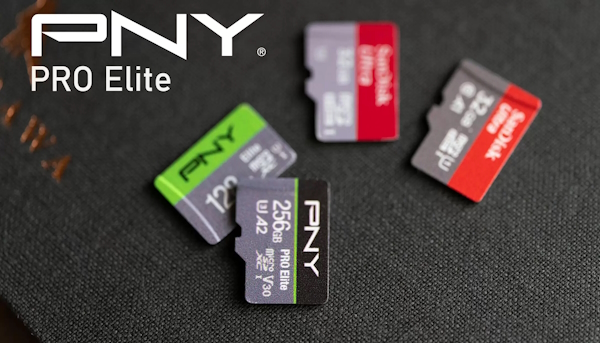
When selecting a truly fast memory card in 2026, it is not enough to look only at the big numbers on the package, because real‑world performance is determined by a combination of factors including the controller, NAND type, and thermal management efficiency.
Research shows that about 37 percent of cards sold in major retail chains are unable to maintain their claimed V30 speed class even for 15 seconds of continuous recording due to aggressive caching and subsequent performance throttling. Professionals increasingly pay attention to the minimum sustained write speed, which can only be found in independent tests, not in manufacturers’ marketing materials.
The leader among UHS‑I cards remains the SanDisk Extreme Pro (see benchmarks above), which in its 1 terabyte version delivers read speeds up to 200 megabytes per second and write speeds up to 140 megabytes per second, while maintaining a stable 92 megabytes per second throughout 12 minutes of continuous 5.7K video recording. This card also features the A2 application performance class, making it an ideal choice for Android smartphone owners using adoptable storage, as well as built‑in thermal regulation coating that reduces heating by 11 degrees compared to competitors.
For users who need maximum capacity, Lexar’s 1066x offers a 1 terabyte version that has successfully passed 72‑hour reliability tests without a single failure and provides high random access speed thanks to 3D NAND with dynamic wear leveling.
If your device supports the UHS‑II interface, the PNY PRO Elite can achieve read speeds up to 260 megabytes per second and write speeds up to 110 megabytes per second, though this requires a compatible camera or card reader.
For specialized tasks such as 24/7 recording in surveillance systems, the SanDisk High Endurance is the optimal choice, sacrificing peak speed for incredible longevity: it can withstand over 25,000 rewrite cycles during continuous recording, far exceeding the lifespan of ordinary cards.
Among manufacturers offering the best price‑to‑performance ratio, TEAMGROUP stands out with its ULTRA A2 V30 series, where the smaller 128 GB models deliver write speeds up to 80 megabytes per second, while the larger 512 GB and 1 TB versions reach up to 170 megabytes per second in sequential writes.
microSD for Gaming Devices
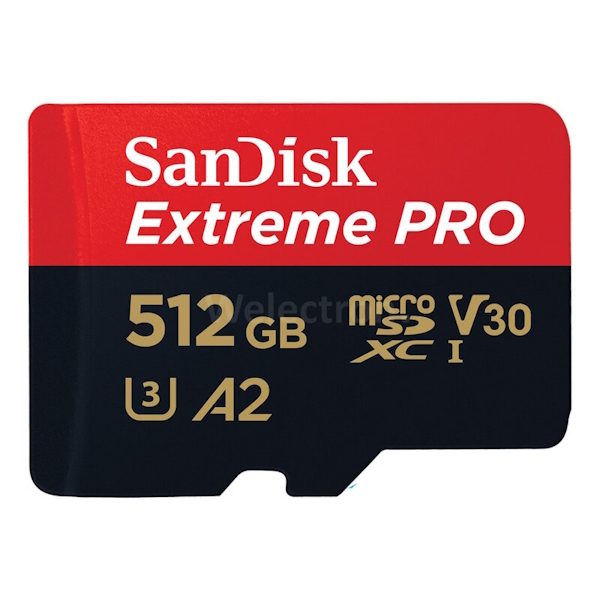
Games remain the most demanding applications on any device.
For a smooth gaming experience on a smartphone or tablet, when apps and game data reside on the memory card, what matters most is not so much the video speed class (though it helps), but the application performance class.
Look for the A2 (Application Performance Class 2) marking on the card. This standard guarantees at least 4000 random read IOPS and 2000 random write IOPS, ensuring smooth level loading, fast app startup, and no noticeable stuttering when accessing game files. Cards without this marking or with the older A1 class can significantly increase load times and cause micro‑stutters in dynamic scenes.
In addition to the A2 class, make sure the card meets at least the U3 or V30 sequential write speed class — this guarantees that even during intensive installation and updating of large game packages, the card won’t choke.
As for capacity, for modern gaming giants like Genshin Impact or Diablo Immortal, which take up 20‑30 gigabytes or more each, the optimal choice is a microSDXC card of 256 GB or higher. This capacity provides enough room for several heavy titles, system cache, and personal files without constantly worrying about free space.
- The ultimate formula for a gamer: microSDXC (256 GB or more) + A2 class + U3/V30.

I’m Irina Petrova-Levin, a graduate of the Moscow Technical University of Communications and Informatics (MTUCI), where I earned my degree in Information Technology. My professional journey has been deeply rooted in JavaScript, PHP, and Python, driven by a profound fascination with how modern technology shapes our everyday lives. I strive to explain complex processes in a clear and accessible way without ever sacrificing accuracy or missing the core of the matter.
Now based in Dallas since 2019, my work reflects a unique synthesis of Eastern European engineering depth and the dynamic American tech mindset. This blend allows me to bridge two distinct technological traditions.
My goal is to deconstruct the real mechanisms behind the devices and systems we use daily. In my articles, I aim to deliver information that is not only practical and structured but also reveals the hidden logic of how our world actually works.