Thunderbolt is a hardware interface developed by Intel in close cooperation with Apple that combines high-speed data transfer, video output and power delivery through a single cable.
The technology was originally known by the codename Light Peak and was conceived as a universal optical connection for peripheral devices, but engineers soon discovered that copper wiring could provide the targeted 10 Gbit/s speed at a significantly lower cost.
The first device to support the interface was the MacBook Pro announced in February 2011, which marked the beginning of the widespread adoption of the technology.
History and reasons for its development
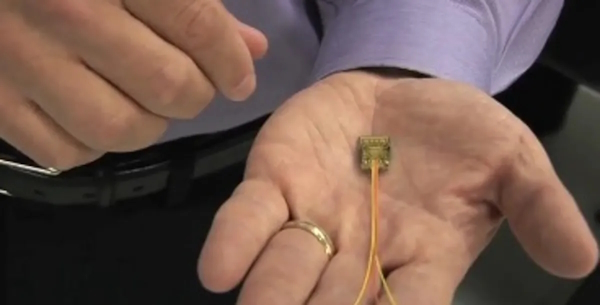
The origins of Thunderbolt (“thunder strike” or “lightning bolt”) date back to 2009, when Intel demonstrated a prototype Mac Pro motherboard capable of transmitting two 1080p video streams and an Ethernet signal through a 30-meter optical cable.
Initially the technology was designed to be entirely optical, but engineers faced the challenge of delivering electrical power through fiber optics. The transition to copper solved this issue, reducing production costs and enabling up to 10 watts of power delivery to connected devices.
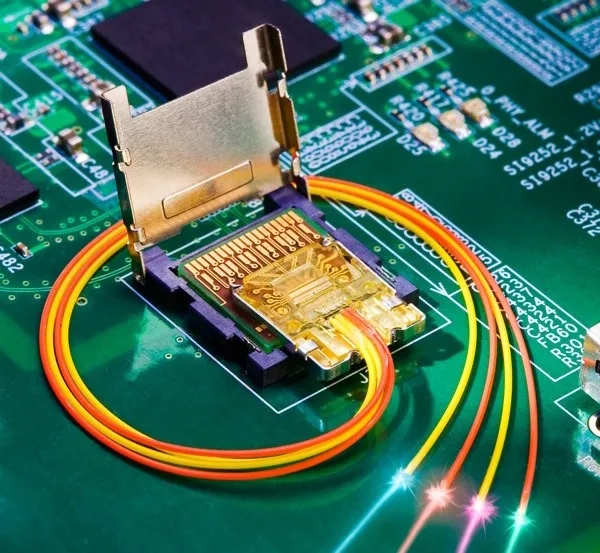
The main goal behind Thunderbolt was to replace multiple bulky connectors with a single universal port capable of handling both high-resolution displays and high-speed storage devices. The architecture combined the PCI Express bus for peripheral communication with the DisplayPort protocol for video output.
Even early versions of the interface allowed connecting up to six devices in a daisy-chain configuration, enabling complex workstation setups without additional hubs.
All Thunderbolt generations
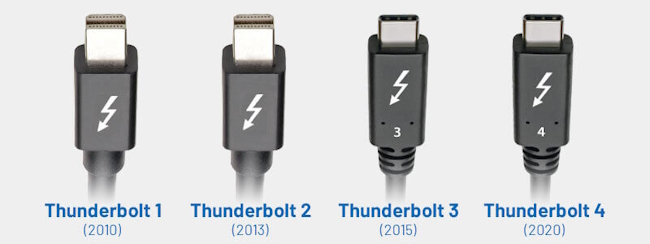
Thunderbolt 1, released in 2010, used the Mini DisplayPort connector and delivered a bandwidth of 10 gigabits per second across two independent channels. The interface supported full-duplex communication and device daisy-chaining, which clearly differentiated it from USB 2.0 and FireWire at the time. Active copper cables typically reached about three meters in length, while the port provided up to 10 watts of power.
Thunderbolt 2, introduced in 2013, doubled the bandwidth to 20 gigabits per second by combining two channels into a single aggregated stream. This improvement made it possible to transmit uncompressed 4K video while maintaining compatibility with the Mini DisplayPort connector. Power delivery remained at roughly 10 watts, and support for daisy-chaining up to six devices was preserved.
Thunderbolt 3 represented a major transformation because it adopted the compact reversible USB-C connector and increased bandwidth to 40 gigabits per second. The interface enabled thin laptops to rely on a single port capable of charging the computer with up to 100 watts of power, connecting two 4K displays and transferring large data volumes fast enough to support external GPUs.
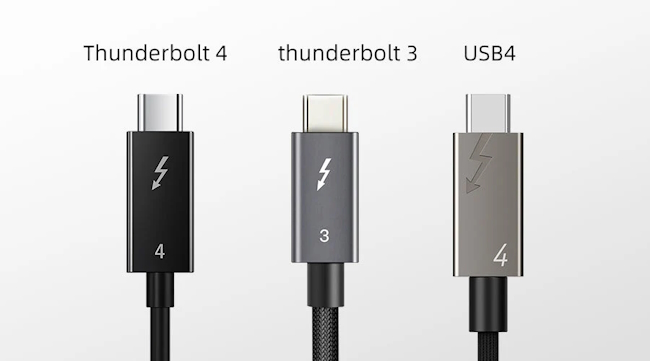
Thunderbolt 4, launched in 2020, kept the same maximum bandwidth of 40 gigabits per second but introduced stricter certification requirements. Every certified device must support PCIe data transfer at 32 gigabits per second, dual 4K displays and wake-from-sleep functionality through connected peripherals. Security improvements such as DMA protection using Intel VT-d were also added.
Thunderbolt 5, appearing in 2024–2025 hardware, marks the next performance leap. The baseline speed increases to 80 gigabits per second, while the Bandwidth Boost mode can reach up to 120 gigabits per second in a single direction for video-intensive workloads. The interface is based on USB4 v2, DisplayPort 2.1 and PCIe Gen4, enabling support for two 8K displays or three high-refresh-rate 4K monitors. Charging capabilities also increase to as much as 240 watts, making it possible to power high-performance laptops and workstations through a single cable.
Identification
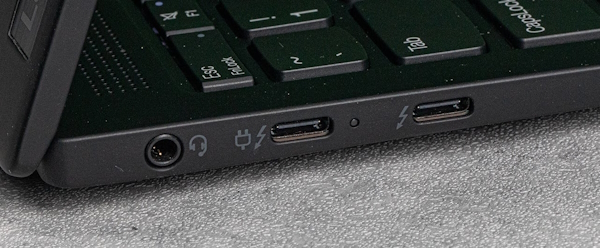
Thunderbolt ports are marked with a lightning bolt symbol, which is the standard visual indicator used on laptops, desktops and docking stations.
Sometimes a power symbol appears next to the lightning icon. This indicates support for Power Delivery, meaning the same port can supply power to other devices or charge the laptop itself.
- lightning icon only — Thunderbolt port for data and video
- lightning icon plus power symbol — Thunderbolt port with charging support
Advantages, disadvantages and typical use cases
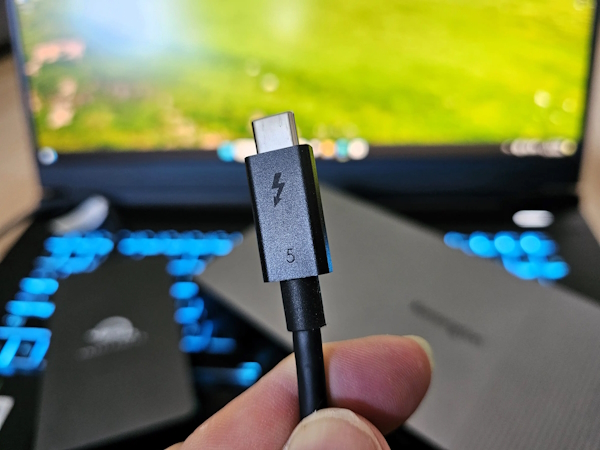
The primary advantage of Thunderbolt is its versatility. A single connector can handle charging, video output and high-speed data transfer simultaneously, which is especially valuable for modern thin laptops where space for multiple ports is limited.
The ability to connect up to six devices in a daisy chain enables sophisticated workstation setups with multiple displays, external drives and docking stations operating through a single cable.
For professional users the support for external GPUs is particularly important. It allows ultraportable laptops to function as powerful workstations or gaming systems when connected to an external graphics enclosure.
The high bandwidth also makes Thunderbolt highly attractive for content creators working with 4K and 8K video, since editing can be performed directly from high-speed external RAID arrays without bottlenecks.
Engineers and developers benefit from the ability to connect several high-resolution monitors simultaneously, which is useful for design, simulation and complex visualization tasks.
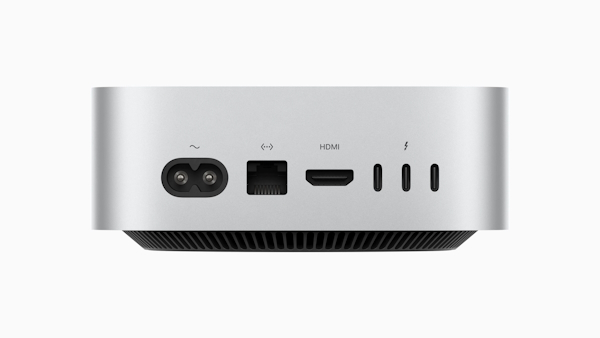
The disadvantages mainly relate to cost and compatibility. Thunderbolt controllers and certified cables are typically more expensive than standard USB alternatives.
- Not every USB-C port supports Thunderbolt, which often causes confusion among users who are unfamiliar with the lightning icon.
- Passive cables usually maintain full performance only up to around two meters, although more expensive active cables can extend this distance.
The latest Thunderbolt generation in 2026
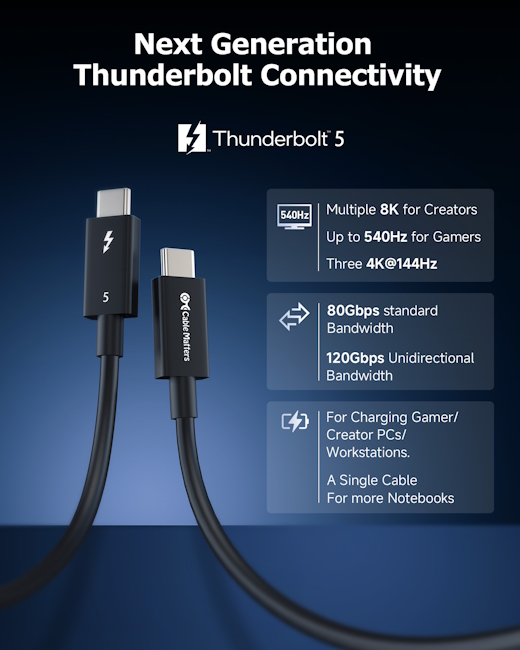
By 2026 Thunderbolt 5 is becoming the new high-performance standard for premium laptops and workstations, gradually replacing earlier generations in flagship hardware.
The technology appears in devices such as modern high-end laptops and compact workstations, and manufacturers are rapidly releasing compatible docking stations and peripherals. The architecture maintains full backward compatibility with Thunderbolt 4, Thunderbolt 3 and USB4.
Key technical characteristics of Thunderbolt 5 include:
- Base bandwidth: 80 Gbit/s in bidirectional mode
- Bandwidth Boost mode: up to 120 Gbit/s for video workloads
- Display support: two 8K displays at 60 Hz or three 4K displays at 144 Hz
- PCIe data throughput: at least 64 Gbit/s (PCIe Gen4)
- Power delivery: up to 240 W for laptop charging
- Compatibility: Thunderbolt 3/4, USB4, DisplayPort 2.1 and USB 3.2
The ecosystem is expanding rapidly with advanced docking stations that integrate high-speed storage, networking and multiple downstream Thunderbolt ports in a single device.
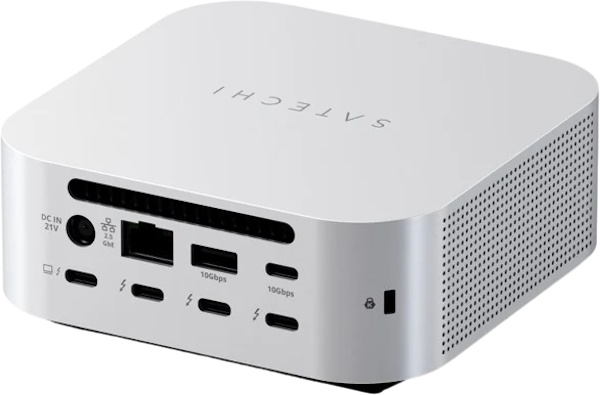
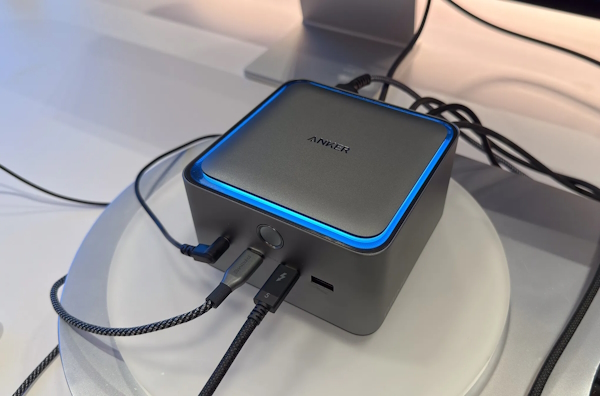
At CES 2026, CES showcased real-world examples of the Thunderbolt 5 ecosystem, including advanced docking solutions such as the Thunderbolt 5 KubeDock (see image). This type of dock integrates an NVMe SSD expansion slot supporting up to 8 TB of storage with transfer speeds reaching around 6000 MB/s, demonstrating how high bandwidth can be used not only for displays but also for ultra-fast external storage.
The device design includes active cooling to maintain stable performance under sustained workloads, multiple downstream Thunderbolt 5 ports, high-speed USB connections, and 2.5G Ethernet. Together these features illustrate how modern docks can consolidate storage, networking, and peripheral connectivity into a single compact unit.
For corporate environments, Thunderbolt 5 simplifies hardware deployment and workstation standardization. A single certified cable can provide power delivery, high-speed data transfer, video output, and network connectivity, reducing cable complexity and making office setups easier to manage and scale across teams.
How Thunderbolt relates to USB4
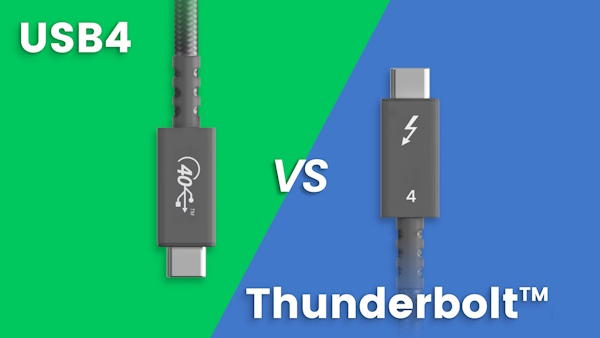
USB4 and Thunderbolt are closely related because the USB4 specification is built on the Thunderbolt 3 protocol that Intel later opened for public use without licensing fees.
Both standards use the USB-C connector and support tunneling protocols such as PCIe and DisplayPort, allowing a single cable to carry data, video and power simultaneously.
However Thunderbolt 4 and Thunderbolt 5 impose stricter certification requirements than USB4.
-
USB4 specifies a minimum bandwidth of 20 gigabits per second and does not guarantee dual-display support, while Thunderbolt 4 requires 40 gigabits per second, two 4K displays and PCIe at 32 gigabits per second.
-
Thunderbolt 5 further raises the baseline to 80 gigabits per second and mandates support for advanced high-resolution displays.
As a result Thunderbolt can be considered a premium implementation layered on top of USB4, guaranteeing consistent performance and capabilities across certified devices.
In practice a Thunderbolt device connected to a USB4 port will usually work, but it may not achieve full performance if the USB4 implementation has lower specifications.
The reverse compatibility is also preserved: standard USB accessories function normally when connected to Thunderbolt ports.
Comparison of Thunderbolt 5 with other interfaces
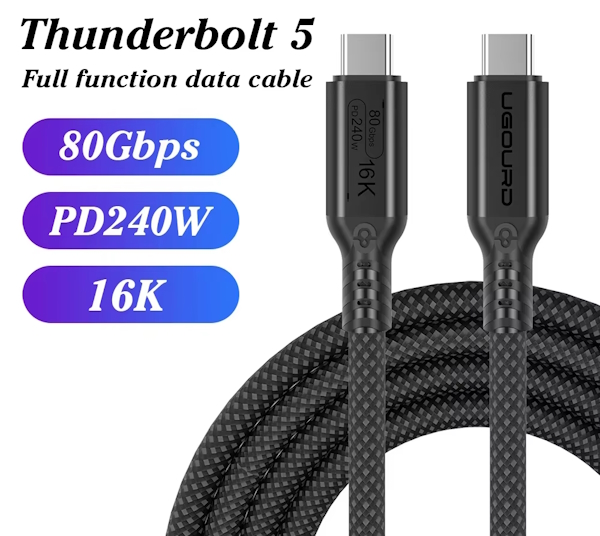
Thunderbolt 5 significantly surpasses previous versions in both bandwidth and power capabilities while maintaining full backward compatibility with earlier generations.
Compared with Thunderbolt 4, the new standard doubles the base bandwidth and increases available video throughput, which is especially important for professional work with high-resolution displays and large data streams. Support for power delivery up to about 240 watts allows the interface to power even demanding laptops and workstations, whereas Thunderbolt 4 typically operated within lower power profiles depending on the implementation.
At the same time, devices based on Thunderbolt 4 and Thunderbolt 3 remain compatible when connected to newer ports, usually without the need for additional adapters.
A comparison with USB4 highlights further differences, particularly because USB4 implementations can vary significantly depending on the manufacturer and device configuration.
Key characteristics comparison:
| Characteristic | Thunderbolt 5 | Thunderbolt 4 | USB4 | USB 3.2 / DisplayPort |
|---|---|---|---|---|
| Maximum bandwidth | 80 Gbps (up to 120 Gbps Boost) | 40 Gbps | 20–40 Gbps | 5–20 Gbps |
| Minimum display requirements | Up to dual 8K displays or multiple high-refresh 4K displays | Dual 4K displays | Depends on implementation | Depends on DP / HDMI version |
| PCIe minimum throughput | Up to 64 Gbps | Up to 32 Gbps | Optional | Not supported |
| Maximum power delivery | Up to 240 W | up to about 100–140 W depending on device | up to 240 W optional | typically lower USB power profiles |
| Wake-from-sleep via peripherals | Supported | Supported | Not guaranteed | Not supported |
| DMA protection | Supported | Supported | Not standardized | Not supported |
Thunderbolt technology remains a reference standard for users who require maximum performance and predictable functionality from a single interface.
While USB4 provides broad compatibility and sufficient speed for most everyday devices, Thunderbolt defines a stricter set of capabilities that manufacturers must support, which helps ensure consistent performance across different systems.
For professionals working with high-resolution video, external GPUs, or large data workflows, Thunderbolt 5 represents a significant step forward. For everyday tasks such as office work, web browsing, or media consumption, however, the practical difference between Thunderbolt and modern USB standards may be less noticeable.
Thunderbolt as a charging port (Power Delivery)
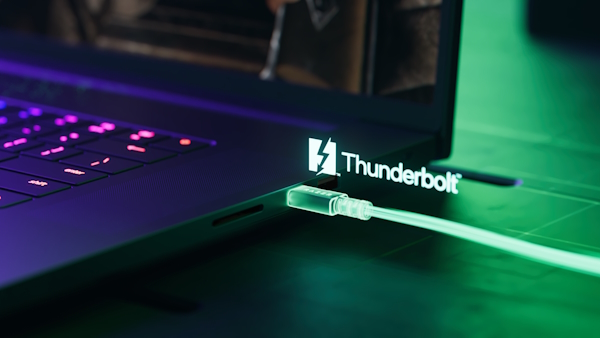
Thunderbolt ports generally rely on the USB Power Delivery (PD) protocol to supply electrical power, which means the actual charging capacity depends primarily on the PD implementation rather than the Thunderbolt interface itself.
Starting with Thunderbolt 3 and Thunderbolt 4, ports can support Power Delivery up to about 100 watts when implemented in compatible laptops or docking stations. At the same time the interface provides standard bus power for connected peripherals.
Charging mobile devices from a laptop through Thunderbolt works through Power Delivery negotiation between the host and the connected gadget.
- The laptop or docking station acts as the power source while the smartphone or tablet requests an appropriate voltage and current profile.
- In practical use this usually results in roughly 15 to 45 watts for tablets and smaller devices, while larger accessories may receive higher power levels depending on the negotiated PD profile.
The reverse scenario — charging the laptop itself through a Thunderbolt port — is also possible. It requires the connected charger, docking station or external device to support a Power Delivery output powerful enough for the laptop.
Thunderbolt 5 expands these capabilities even further. With new cables and improved PD profiles, the interface can theoretically support up to around 240 watts, enabling single-cable workstations capable of powering powerful laptops while simultaneously handling displays, data transfer and peripheral connectivity.
Typical charging characteristics across generations include:
- Thunderbolt 1–2 — minimal bus power, limited charging capability
- Thunderbolt 3 — USB Power Delivery support up to roughly 100 W
- Thunderbolt 4 — similar PD capabilities with stricter certification
- Thunderbolt 5 — extended power delivery profiles reaching up to about 240 W depending on the device implementation
In conclusion, what is it?

Thunderbolt is a universal single-cable interface that allows you to transfer large files quickly (such as photos and videos), connect an external high-resolution monitor, and simultaneously power a laptop or charge a mobile device through the same port.
For home users, this means replacing multiple cables and adapters with one connection to a docking station, providing power, network access, display output, and fast access to external storage through a single setup.
It is important to remember that the actual capabilities depend on the specific port version and the cable being used. Older Thunderbolt generations support only part of the full feature set, while newer versions deliver higher data throughput and stronger power delivery for demanding laptops.
When purchasing devices or accessories, always check whether the laptop model, docking station, and cable support the required bandwidth and power profile. Proper compatibility ensures stable performance, reliable charging, and full use of the interface’s capabilities.

I’m Irina Petrova-Levin, a graduate of the Moscow Technical University of Communications and Informatics (MTUCI), where I earned my degree in Information Technology. My professional journey has been deeply rooted in JavaScript, PHP, and Python, driven by a profound fascination with how modern technology shapes our everyday lives. I strive to explain complex processes in a clear and accessible way without ever sacrificing accuracy or missing the core of the matter.
Now based in Dallas since 2019, my work reflects a unique synthesis of Eastern European engineering depth and the dynamic American tech mindset. This blend allows me to bridge two distinct technological traditions.
My goal is to deconstruct the real mechanisms behind the devices and systems we use daily. In my articles, I aim to deliver information that is not only practical and structured but also reveals the hidden logic of how our world actually works.