Decoding complex Intel and AMD processor branding: what the mysterious letters U, K, F, X, and other model suffixes actually mean.
Understanding these suffixes will help you choose the ideal chip for demanding gaming, resource-heavy workloads, or a compact laptop with excellent battery life. Find out whether a specific letter points to manual overclocking, a powerful integrated graphics core, or a strict focus on maximum power savings so you can avoid overpaying for unnecessary marketing hype.
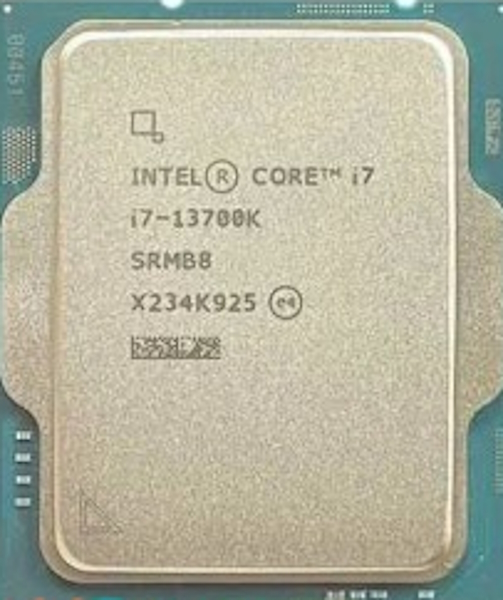
The letter “K” at the end of an Intel processor name (such as the Core i7-13700K) indicates an unlocked multiplier. This is a crucial hardware feature that allows users to manually boost the chip’s clock speed beyond factory settings, increasing the system’s overall computing power. Additionally, these processors natively feature higher base clock speeds and expanded thermal design power (TDP) limits compared to their non-K counterparts, making them the most powerful options in the lineup.
The “KF” variant offers identical performance but comes with the integrated graphics core physically disabled.
These chips are primarily geared toward enthusiasts, hardcore gamers, and professionals working with heavy software for rendering or code compilation.
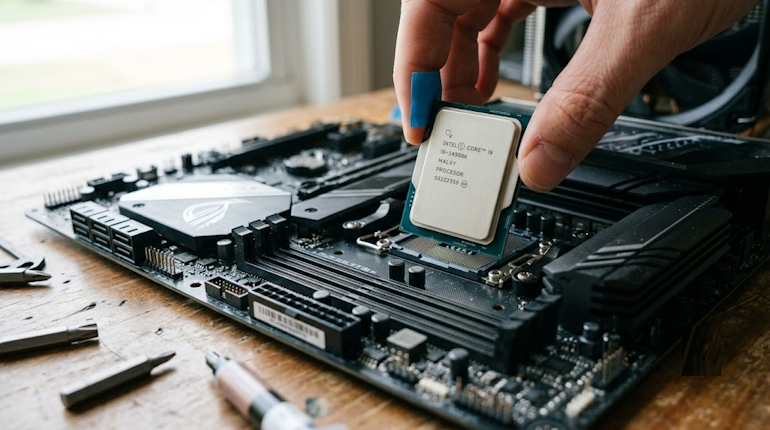
Unleashing the potential of a K-series processor requires an expensive motherboard featuring a flagship chipset (Z-series) and a beefy cooling system—ideally a high-quality liquid cooler.
The F Suffix (No Integrated Graphics)
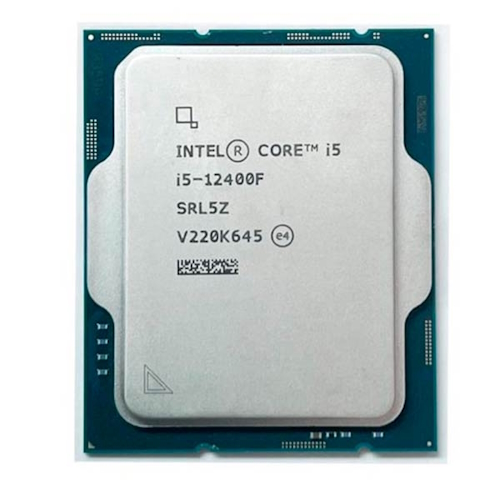
The letter “F” (such as the Core i5-12400F) indicates the complete absence or hardware-level disabling of the integrated graphics card. Intel utilizes the exact same silicon die as the standard version of the processor, but the graphics portion is deactivated during manufacturing. This helps the manufacturer lower manufacturing defect waste and sell the finished chip at a significantly lower price since the customer isn’t paying for silicon dedicated to outputting a display signal.
Processors with the “F” suffix are ideal for building traditional gaming rigs or workstations where a powerful discrete graphics card is already part of the plan. By choosing this model, buyers can smartly save money and allocate those extra funds toward faster RAM, a larger SSD, or a higher-tier dedicated GPU.
The T Suffix (Power-Efficient Desktop Chips)
The “T” suffix designates power-efficient versions of desktop processors that feature a strictly locked down thermal envelope, typically capped at just 35W. To stay within these tight limits, the manufacturer substantially lowers the base clock speeds and curbs the aggressive auto-boosting algorithms (Turbo Boost). Consequently, the chip generates minimal heat and draws very little power, while still keeping the modern architecture and full core count of a full-sized desktop solution.
The target audience for these processors is the corporate sector and fans of completely silent home theater setups.
Chips with the letter “T” are deployed in mini-PCs (nettops), slim all-in-one desktops, and compact media centers where housing a massive CPU cooler is physically impossible. They are a poor fit for heavy gaming, but they handle office workloads and 4K video playback flawlessly.
Intel Mobile Processor Suffixes (For Laptops)
The U, P, and H Suffixes (From Ultrabooks to Gaming Rigs)
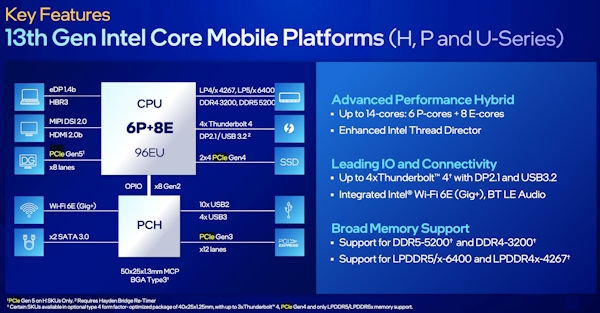
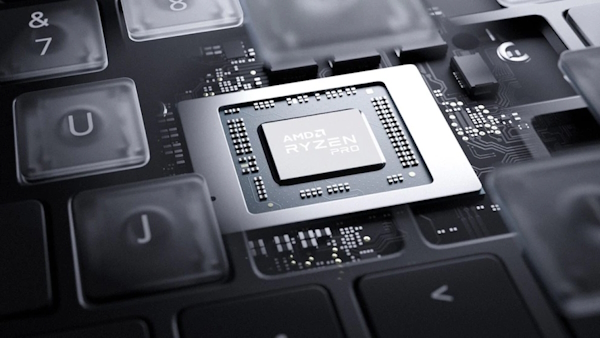
In the mobile segment, the letter “U” (Ultra-low power) indicates processors with ultra-low power consumption (typically 15W), engineered to squeeze maximum battery life out of thin-and-light ultrabooks. The “H” suffix (High performance) is reserved for high-performance chips designed for bulky gaming laptops and mobile workstations (45W and up), where raw processing power takes precedence over battery longevity. Intel also offers a “P” lineup (28W), which serves as a balanced sweet spot for thin yet capable performance laptops. Additionally, you will find extreme “HX” variants, which are essentially desktop-grade processors adapted for portable form factors.
Models from the “U” series are built for professionals, students, and travelers who need their laptop to survive a full workday on a single charge without overheating on their lap. The “H” and “HX” series are mandatory for video editors, engineers, and gamers who are willing to haul a heavy power brick and put up with loud cooling fans in exchange for desktop-grade performance in a semi-portable machine.
AMD Desktop Processor Suffixes
The X and X3D Suffixes (Factory Overclocking and 3D V-Cache)
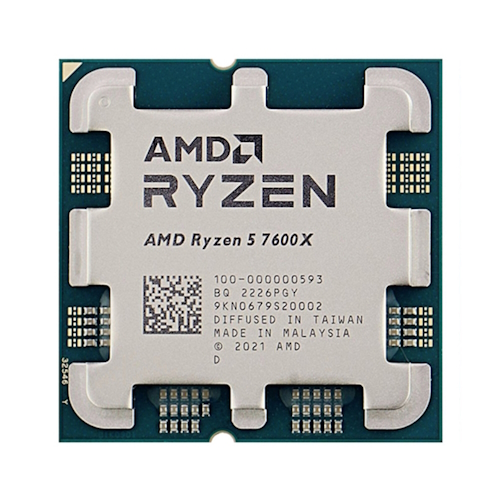
At AMD, the “X” suffix (such as the Ryzen 5 7600X) points to higher out-of-the-box clock speeds and an expanded thermal envelope compared to the standard, non-X variants. This is essentially a premium factory overclock that allows the processor to sustain peak frequencies longer under demanding workloads. The “X3D” suffix represents a revolutionary technology: a massive, additional third-level cache vertically stacked directly on top of the processor die (3D V-Cache), which dramatically speeds up data pipelines between the cores and memory.
The “X” variants are chosen by users who want maximum performance right away without diving into complicated BIOS settings. Meanwhile, processors with the “X3D” suffix are currently the ultimate, undisputed choice for PC enthusiasts and competitive esports players because that massive cache provides an incredible boost to in-game frame rates (FPS), outperforming even more expensive flagship chips from the competition.
The G Suffix (Integrated APU Graphics)
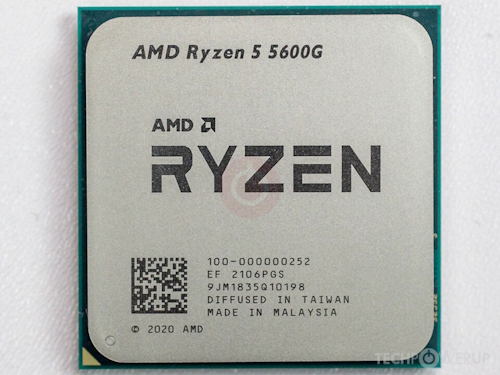
The letter “G” in AMD desktop processors (such as the Ryzen 5 5600G) means the chip belongs to the APU (Accelerated Processing Unit) class—hybrid chips featuring highly capable built-in Radeon graphics. Unlike Intel’s basic, relatively weak integrated graphics, the GPU core inside AMD’s “G” models offers serious processing power. It is capable of smoothly running modern competitive esports titles (like CS2, Dota 2, and Valorant) and older AAA games at medium settings in 1080p resolution without requiring a standalone graphics card.
These setups are an absolute lifesaver for ultra-budget gaming and building highly compact home multimedia PCs. The user gets a great productivity processor and a respectable graphics engine on a single piece of silicon, saving a ton of money during the initial build phase while retaining the option to easily drop in a powerful discrete graphics card down the road.
AMD Mobile Processor Suffixes
The U, H, HS, and HX Suffixes (Mobility vs. Power)
For its mobile lineup, AMD applies a branding logic very similar to its competitor. The letter “U” designates energy-efficient processors for thin, long-lasting laptops built around office workflows. The “H” suffix marks hotter, high-output chips for gaming laptops, while “HX” represents extreme, high-core-count processors for top-tier, heavy gaming rigs. The “HS” suffix is a highly successful and unique designation: it represents binned silicon that delivers the processing power of the H-series while fitting into a tighter thermal envelope, allowing manufacturers to build sleek, thin, yet uncompromised gaming laptops.
Choosing a mobile chip from the “Red Team” depends entirely on your desired laptop form factor. Devices with a “U” processor are bought for maximum travel freedom, laptops running on “H” and “HX” serve as stationary desktop replacements, and “HS” is chosen by users looking for the perfect middle ground between high gaming frame rates and true portability inside a sleek aluminum chassis.
CPU Cooler Selection Recommendations
Before locking in your processor choice, take note of these general thermal output patterns across the different lineups. These factors directly dictate what kind of aftermarket cooling solution you will need to purchase:
To keep temperatures stable, you need to match your chip with the right cooling hardware. Here is how the requirements break down across different processor tiers:
Processors ending in K, KF, X, and HX require top-tier dual-tower air coolers or reliable 240mm to 360mm liquid cooling loops (AIOs).
Chips with F, G, and standard non-suffix base models run perfectly fine with mainstream, budget-friendly single-tower air coolers featuring 3 to 4 copper heat pipes.
Models with the T suffix can get by with tiny low-profile fans, basic stock coolers included in the box, or completely passive heatsinks in specialized fanless chassis designs.
Step-by-Step Component Matching Protocol
To avoid getting confused by model codes when planning a custom PC build or buying a pre-built computer, follow a strict step-by-step selection protocol. Following these fundamental steps will save you from overpaying and prevent hardware compatibility issues.
First, pinpoint the primary purpose of your computer system, whether that means competitive esports gaming, heavy 4K video editing, basic office productivity, or portability for frequent business travel. Next, figure out your graphics configuration: if you are purchasing a powerful discrete graphics card anyway, look for processors with an F suffix, but if your budget is incredibly tight, opt for a G-series chip instead. Finally, budget out your motherboard and power supply unit (PSU). If your budget is modest, skip the K and X models entirely, since they require expensive motherboards with robust power delivery systems (VRMs) and beefier power supplies.
To help you quickly navigate the matching desktop and mobile lineups from the two main market competitors, we have put together a clear comparison chart of their naming suffixes. It aligns the letters that perform conceptually identical roles across both platforms.
I’m Irina Petrova-Levin, a graduate of the Moscow Technical University of Communications and Informatics (MTUCI), where I earned my degree in Information Technology. My professional journey has been deeply rooted in JavaScript, PHP, and Python, driven by a profound fascination with how modern technology shapes our everyday lives. I strive to explain complex processes in a clear and accessible way without ever sacrificing accuracy or missing the core of the matter.
Now based in Dallas since 2019, my work reflects a unique synthesis of Eastern European engineering depth and the dynamic American tech mindset. This blend allows me to bridge two distinct technological traditions.
My goal is to deconstruct the real mechanisms behind the devices and systems we use daily. In my articles, I aim to deliver information that is not only practical and structured but also reveals the hidden logic of how our world actually works.